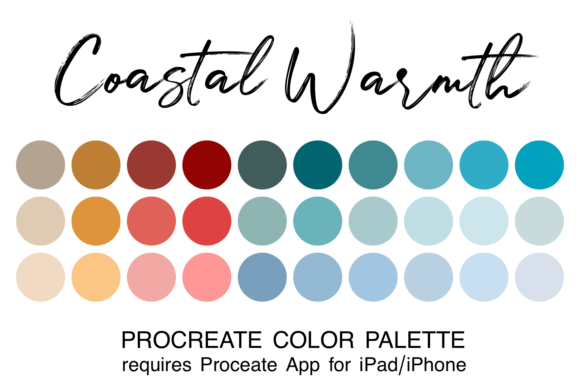
Coastal Warmth Procreate Color Palette: A Balanced Choice for Nature-Inspired Art
What is the Coastal Warmth Procreate Color Palette?
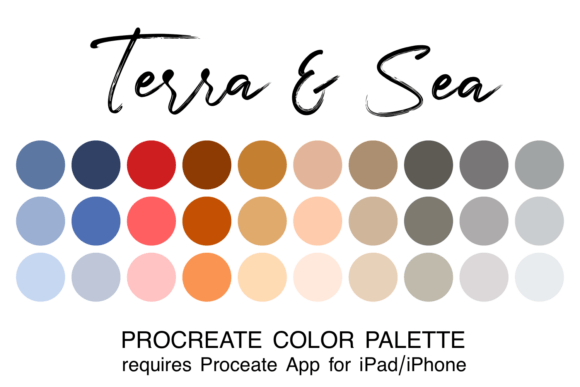
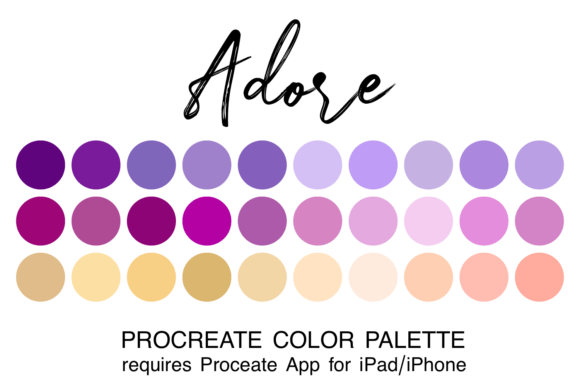
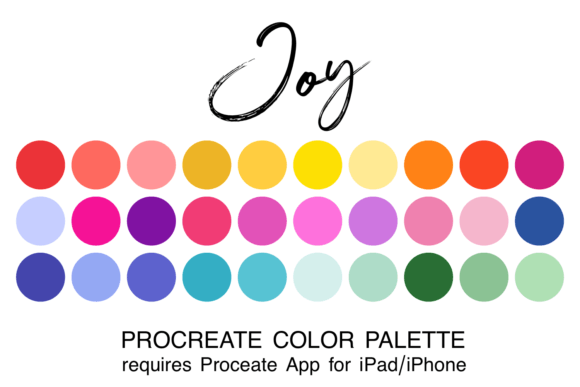
The Coastal Warmth Procreate Color Palette is a collection of 30 carefully selected colors designed for digital artists using the Procreate app. This palette combines soft sandy tones, warm terracotta hues, and calming ocean blues to reflect the natural beauty of coastal environments and earthy landscapes. The palette is delivered as a .swatch file, which can be easily imported into Procreate for seamless creative use.
Each color in the palette has been chosen to work harmoniously with the others, allowing artists to create cohesive and visually appealing illustrations without spending time mixing or selecting colors manually. This makes it especially useful for those who want to focus more on the artistic process and less on color theory or selection.
Why Artists Might Consider This Palette
Many digital artists, especially those working in nature-inspired or lifestyle illustration, often seek color schemes that feel organic and emotionally resonant. The Coastal Warmth palette offers a natural solution by providing a ready-to-use set of colors that evoke feelings of calm, warmth, and connection to the environment.
For beginners, this palette removes the complexity of choosing a cohesive color scheme. For more experienced artists, it serves as a time-saving tool that still allows for creative flexibility. Whether you're creating digital paintings, social media visuals, or concept art, this palette can streamline your workflow and enhance your visual storytelling.
Benefits of Using the Coastal Warmth Palette
- Time Efficiency: Eliminates the need to mix or search for complementary colors manually.
- Visual Harmony: All 30 colors are designed to work together, ensuring consistency in your artwork.
- Thematic Focus: Ideal for nature, coastal, or earth-inspired themes, making it a strong choice for seasonal or environmental projects.
- Easy Integration: The .swatch file format allows for quick installation into the Procreate app with minimal effort.
Considerations and Limitations
While the Coastal Warmth palette offers many advantages, it's important to understand its limitations. Because it is specifically designed for iPad users of the Procreate app, it may not be compatible with other digital art platforms or software. Additionally, the color range is curated for a specific aesthetic—those seeking vibrant, high-contrast, or non-nature-based palettes may find this set too limited in scope.
Artists who prefer full control over their color choices or who frequently work across multiple themes may find that relying solely on pre-made palettes restricts their creative flexibility. In such cases, using this palette as a starting point rather than a final solution may be more effective.
When This Palette is a Strong Fit
The Coastal Warmth palette excels in scenarios where the goal is to create artwork that feels grounded, organic, and soothing. It’s particularly well-suited for:
- Nature and landscape illustrations
- Coastal or travel-themed digital art
- Soft, minimalist designs for social media or branding
- Beginner artists looking to build confidence in color use
If your work regularly draws inspiration from the natural world or if you're aiming for a gentle, warm aesthetic, this palette can be a valuable addition to your creative toolkit.
When Alternatives May Be Worth Considering
While the Coastal Warmth palette is versatile, it may not be ideal for every project. If your work leans toward:
- High-contrast or neon color schemes
- Urban, futuristic, or abstract themes
- Projects requiring a broader or more varied color range
…then exploring alternative palettes or custom color sets might be more appropriate. Additionally, if you use software other than Procreate—such as Photoshop, Illustrator, or Krita—you may need to look for palettes in different file formats or platforms.
How to Make the Most of This Palette
For best results, consider integrating the Coastal Warmth palette into your creative process in the following ways:
- Test it first: Use the palette on a small project or sketch to see how well it aligns with your style and vision.
- Customize if needed: Duplicate the palette in Procreate and tweak individual colors to better suit your specific needs.
- Combine with other tools: Use this palette alongside brushes or textures that enhance its natural aesthetic.
- Organize your assets: Keep your Procreate swatches folder well-organized so you can quickly access this palette when the theme calls for it.
Installation Tips for Beginners
Installing the Coastal Warmth palette is straightforward, but if you're new to Procreate or digital art tools, follow these steps to ensure a smooth setup:
- Download the zipped file and save it to the “Downloads” folder in your iPad’s Files app.
- Unzip the file, then tap the .swatch file to open it.
- Select “Open in Procreate” when prompted.
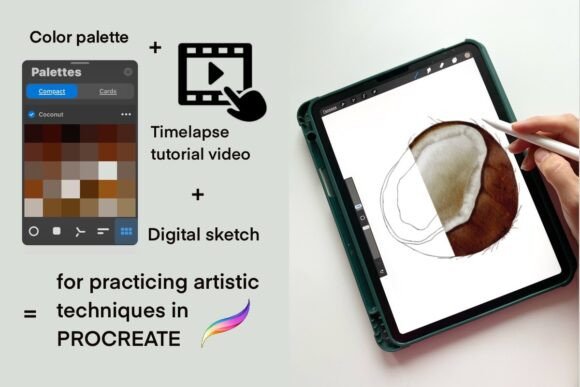
- Once imported, the palette will be available under the color panel in your next session.
Make sure your iPad is updated to the latest version of Procreate and iOS to avoid compatibility issues. If the palette doesn’t appear immediately, try restarting the app or checking the “Palettes” section under the color menu.
Final Thoughts: Is This Palette Right for You?
Choosing the right color palette is about more than just aesthetics—it's about workflow efficiency, creative intent, and personal style. The Coastal Warmth Procreate Color Palette offers a well-balanced mix of warm and cool tones that can elevate your nature-inspired artwork and simplify your creative process.
If you're drawn to coastal themes, earthy tones, or calming visuals, and you're using Procreate regularly, this palette is likely a worthwhile investment. However, if your projects vary widely in tone or theme, or if you prefer full control over color selection, you may benefit more from building your own custom palettes or exploring a wider range of pre-made options.
In the end, the best palette is the one that supports your artistic goals and enhances your creative experience. The Coastal Warmth palette offers a thoughtful, user-friendly option for those seeking a natural, cohesive color scheme that aligns with the beauty of the world around us.