Lipstick Lips Sketch Color Palette for Creative Art Practice
Creating digital art can be both rewarding and relaxing, especially when you have the right tools to guide your process. The Lipstick Lips Sketch Color Palette is a specialized resource designed for artists using Procreate. Whether you're just starting out or have years of experience, this palette helps you explore color harmony, shading, and style in a playful and approachable way.
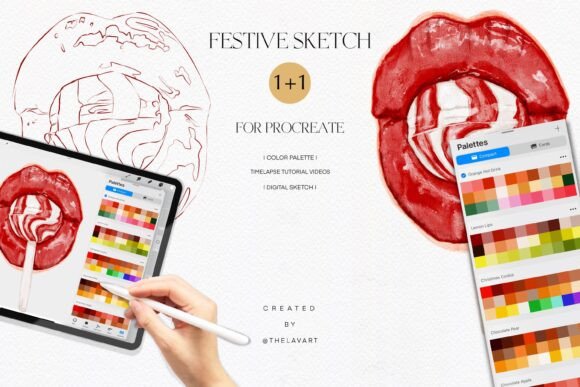
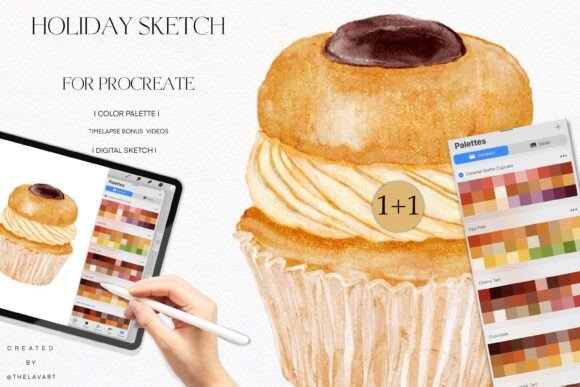
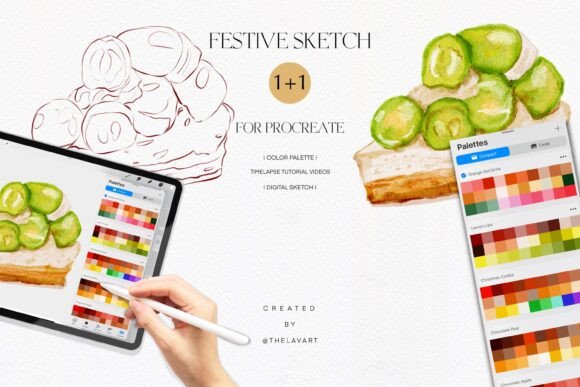
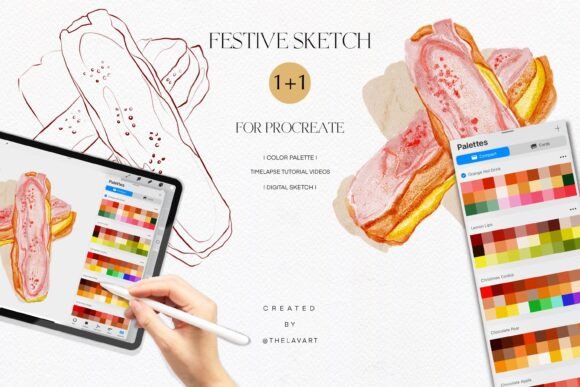
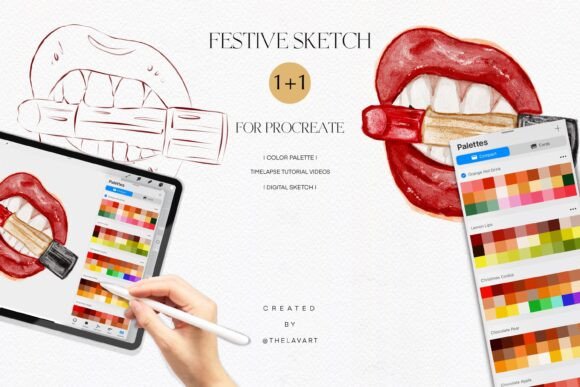
This pack includes a digital sketch of lips in PNG format with a transparent background, a custom color palette in .swatches format for easy use in Procreate, and access to time-lapse video tutorials via a YouTube Shorts playlist. These components work together to give you a structured yet flexible way to improve your digital illustration skills.
Why This Color Palette Stands Out
The Lipstick Lips Sketch Color Palette is more than just a set of colors—it’s a learning tool that encourages you to experiment with tone, contrast, and saturation. The palette is curated to reflect realistic yet stylized lip tones, making it ideal for portrait work, fashion sketches, or character design. It helps artists understand how subtle color shifts can affect the mood and realism of a piece.
What makes this palette especially useful is its compatibility with Procreate. Once imported, you can easily switch between shades without losing the overall cohesion of your artwork. This seamless integration supports a smoother workflow, letting you focus more on technique and less on technical setup.
Perfect for a Wide Range of Artistic Goals
Whether you're looking to refine your shading techniques, practice color blending, or simply enjoy a creative break, this palette supports a variety of artistic goals. Beginners can use the included sketch as a base to practice coloring within the lines, while more experienced artists might explore how different lipstick tones interact with lighting and texture.
- Improve color theory understanding through hands-on practice
- Refine digital brush control and pressure sensitivity
- Build confidence in portrait and beauty illustration
- Explore different moods and expressions through color choices
Because the palette is built around a familiar subject—lips—it offers a low-pressure way to dive into digital painting. You don’t need to worry about complex anatomy or perspective. Instead, you can focus on mastering color application and layering techniques.
How to Use It in Different Contexts
This resource isn’t limited to personal practice. It can be a valuable asset in multiple creative environments:
- Art Education: Instructors can use the sketch and palette to teach foundational color concepts to students in a visually engaging way.
- Creative Content Creation: Bloggers and social media creators can incorporate these illustrations into digital content, tutorials, or downloadable resources.
- Commercial Design: Freelancers working on beauty or fashion projects can use the palette as a reference for product mockups or editorial illustrations.
- Therapeutic Art: For those who enjoy art as a form of stress relief, coloring in the sketch with a curated palette can be both calming and satisfying.
Because the digital sketch comes with a transparent background, it can be easily layered into other compositions or used in digital collages. This flexibility makes it a versatile tool for both standalone projects and more complex illustrations.
Getting the Most Out of the Included Resources
The time-lapse video tutorials linked in the PDF are a key part of this package. Watching these short videos gives you insight into how professionals approach coloring and shading in Procreate. They’re especially helpful for visual learners who benefit from seeing the process in action rather than reading step-by-step instructions.
Here’s how to make the most of each component:
- Digital Sketch: Use it as a base layer to build your color on top, or trace over it to practice line work and proportions.
- Color Palette: Experiment with different combinations to see how they affect the overall look of your piece. Try using only three colors from the palette to challenge your blending skills.
- Video Tutorials: Watch them before you start coloring to understand brush choices, layer techniques, and blending methods used by experienced artists.
Important Considerations Before You Start
Before diving in, it’s helpful to understand a few key points to ensure a smooth and enjoyable experience:
- Make sure your version of Procreate supports .swatches file imports—this feature is available in recent app updates.
- Save your work frequently, especially when experimenting with different brushes and layer styles.
- If you're new to digital art, don’t worry about perfection. The goal is to learn and enjoy the process.
- Use the sketch as a guide, but feel free to modify or stylize it to suit your creative vision.
Also, keep in mind that while the Lipstick Lips Sketch Color Palette is beginner-friendly, it’s also rich enough to support advanced techniques. As your skills grow, you can use it in more complex compositions or combine it with other palettes to expand your color vocabulary.
A Fun, Flexible Tool for Any Digital Artist
In a world where digital tools can sometimes feel overwhelming, this palette brings a sense of playfulness and accessibility to art creation. Whether you're practicing for personal growth, preparing a portfolio, or just looking for a creative way to unwind, the Lipstick Lips Sketch Color Palette offers a meaningful way to engage with digital illustration.
By combining a realistic subject with a thoughtfully curated color scheme and visual learning tools, it supports both technical development and creative expression. It’s not just about coloring lips—it’s about building skills, exploring color, and enjoying the journey of artistic growth.