Unlocking Creativity with Dry Brush Vector Elements: A Versatile Design Solution for Everyday Use
The world of design is constantly evolving, and one of the most exciting trends gaining traction among creators is the use of dry brush vector elements. These artistic, textured brush stroke designs offer a unique aesthetic that blends traditional artistry with modern digital flexibility. Whether you're designing for apparel, home décor, or marketing materials, dry brush elements can elevate your visuals and connect with audiences on a more personal level.
What Exactly Are Dry Brush Vector Elements?
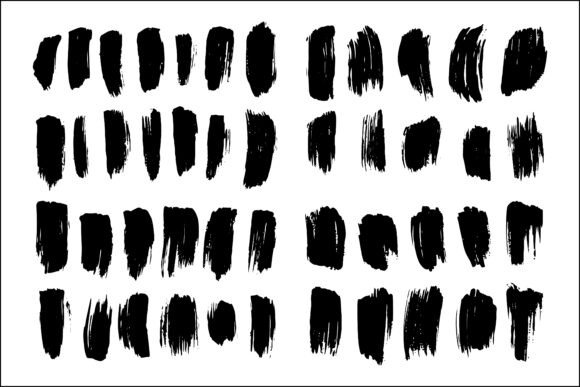
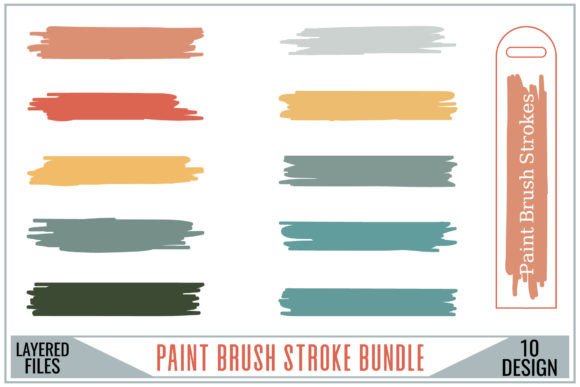
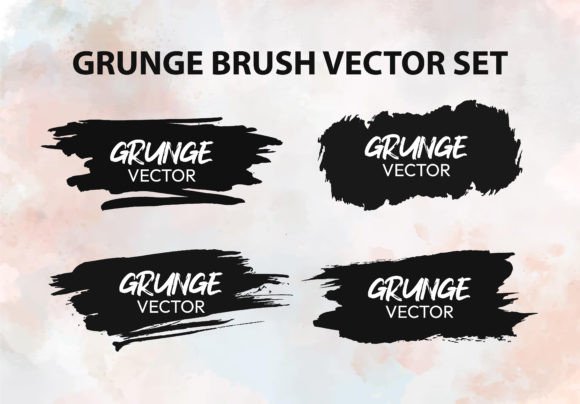
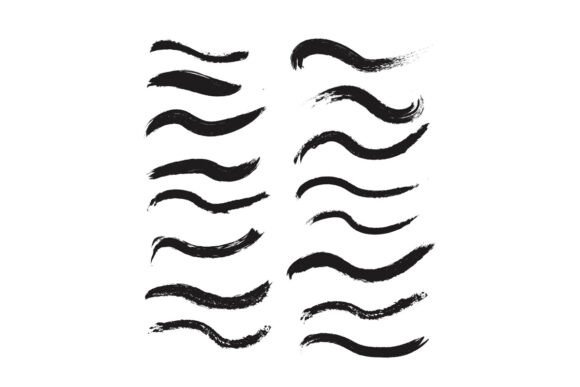
Dry brush vector elements are digital design assets that mimic the look and feel of traditional dry brush painting techniques. Unlike standard brush strokes, dry brush effects are characterized by their textured, slightly broken lines and soft edges, giving them a handcrafted, organic appeal. These elements are typically delivered in EPS (editable vector format) and high-quality PNG (transparent, 300 DPI RGB), making them ideal for both print and digital use.
Why Use Dry Brush Vector Elements?
- Authenticity: They add a hand-drawn, artistic touch to any design project.
- Versatility: These elements can be resized infinitely without losing quality thanks to their vector format.
- Professional Quality: With 300 DPI PNG files, you get crisp, print-ready visuals for any application.
Practical Applications: Where Can You Use Dry Brush Designs?
One of the biggest advantages of dry brush vector elements is their adaptability. Here are some of the most popular ways designers and creators are using them across various products and platforms:
1. Apparel and Accessories
Dry brush designs are especially popular in the world of fashion. Whether it's for shirts, hoodies, or hats, these brush strokes add a unique, artistic flair that sets designs apart from the typical graphic prints.
- Use them as background textures or overlay effects on t-shirts.
- Incorporate them into logo designs for a vintage or artisanal look.
- Add them to patches or embroidered elements on hats and jackets.
2. Home Décor and Lifestyle Products
From cups to mugs, pillows, and even wall art, dry brush vector elements can transform everyday objects into statement pieces.
- Print them on ceramic mugs for a hand-painted aesthetic.
- Use them on pillow covers to create a cozy, artistic vibe.
- Apply them to canvas prints or framed posters for a gallery-style look.
3. Greeting Cards and Stationery
For greetings, thank you cards, and invitations, dry brush strokes add a personal and elegant touch that digital fonts and clean lines often lack.
- Frame handwritten-style text with soft brush strokes.
- Create floral or abstract backgrounds for card designs.
- Use them to separate sections or highlight key messages.
4. Marketing and Print Materials
Whether you're designing a brochure, flyer, or poster, dry brush elements can help your content stand out by adding visual depth and warmth.
- Use them as dividers or section headers in multi-page documents.
- Incorporate them into infographics to guide the viewer’s eye.
- Add texture to backgrounds for a more engaging visual experience.
How to Use Dry Brush Vector Elements: A Beginner’s Guide
Whether you're a seasoned designer or just starting out, integrating dry brush elements into your work is both simple and rewarding. Here’s how you can get started:
- Choose the Right Format: Use the EPS file if you're working in vector-based software like Adobe Illustrator. For raster-based programs like Photoshop, the PNG file will be your go-to option.
- Layer Thoughtfully: Dry brush elements work best when layered subtly. Don’t overpower your design—use them to accentuate rather than dominate.
- Customize Colors: Most vector files can be recolored to match your brand or design palette. This makes them incredibly flexible for different projects.
- Scale with Confidence: Since they’re vector-based, you can scale them up or down without worrying about pixelation or loss of quality.
Tips for Effective Use
- Blend with Typography: Pair dry brush strokes with clean fonts for a balanced, modern look.
- Combine with Other Textures: Layer them with paper textures, watercolor effects, or ink splatters for a mixed-media feel.
- Use for Backgrounds: Create soft, artistic backgrounds that don’t distract from your main content.
Common Misconceptions About Dry Brush Elements
Despite their popularity, there are a few common misunderstandings about using dry brush vector elements. Let’s clear those up:
- Misconception 1: “They only work for vintage or rustic designs.” Reality: While they do add a vintage feel, they can be modernized with color choices, layering, and minimalistic layouts.
- Misconception 2: “They’re hard to edit.” Reality: With EPS files, you can edit every vector point, and PNGs can be easily masked or blended in Photoshop.
- Misconception 3: “They’re not professional.” Reality: Many high-end brands and designers use dry brush elements to add personality and sophistication to their visuals.
Why Dry Brush Vector Elements Are Perfect for Modern Designers
In today’s fast-paced digital world, there’s a growing desire for authenticity and craftsmanship. Dry brush vector elements offer the perfect bridge between digital efficiency and artistic expression. Whether you're a freelance designer, small business owner, or DIY enthusiast, these design assets can help you create more engaging, emotionally resonant visuals.
Moreover, their compatibility with a wide range of software and file types makes them accessible to anyone with a creative vision. You don’t need advanced skills to use them effectively—just a bit of imagination and a willingness to experiment.
Final Thoughts
Dry brush vector elements are more than just a design trend—they’re a powerful tool that can enhance your creative projects across multiple platforms. Whether you're printing on shirts, designing a brochure, or crafting a thank you card, these elements offer a versatile, high-quality solution that brings warmth and character to your work.
So the next time you're looking to add a touch of artistic flair to your designs, consider using dry brush vector elements. With their EPS editable and PNG transparent 300 DPI RGB formats, you’ll have everything you need to create stunning, professional-quality visuals that stand out in any context.